
AP EXAM
AP EXAM NEWS
Please review:
2020 AP EXAM AT-HOME TEST GUIDE
 |
Tasks to complete ASAP
| STRONGLY RECOMMENDED: |
|
| REQUIRED: |
Complete an exam day interactive demo walk-through, It will allow you to practice different ways to submit your responses. You may do this starting on 5/4/2020. It will allow you to practice the different ways to submit your responses. If you can't connect to this demo from your planned testing device, you'll not be able to access the real exam on test day. Update your browser (see tips on slide 51). Then try again. If you still can't access the Demo, you MUST contact Ms. Lee for trouble-shooting assistance.
|
| REQUIRED: | Download an exam day checklist for each AP exam you will be taking and complete it!!! Then keep it handy for exam day. Come to the AEC to pick up copies on Mondays. |
Technical Information
CHECK YOUR TECH
Make sure you have an appropriate, working device to test with.
- iPad is an appropriate device, if you have a laptop or desktop, those work, except with World Language exams (phone and tablet only)
- You MUST disable the Grammarly plug-in on your device if you have it - it interferes with the exam program.
- AP Exam will only open in the latest versions of Chrome(preferred), Firefox, Safari, or Edge.
- Make sure to update your browser to the latest version well in advance of test day.
- Important: 2020 AP Exams won't work in Internet Explorer.
You MUST have internet or cellular connection
- RECOMMENDED IF YOU PLAN TO TYPE YOUR RESPONSES: Microsoft Word, Google Docs, Notes, or another app to enter and save text
- Check your phone before submitting photos! Heic files are not accepted.
- Unexpected events may occur when testing at home, so you will benefit from additional preparation and technology checks!!
During the exam:
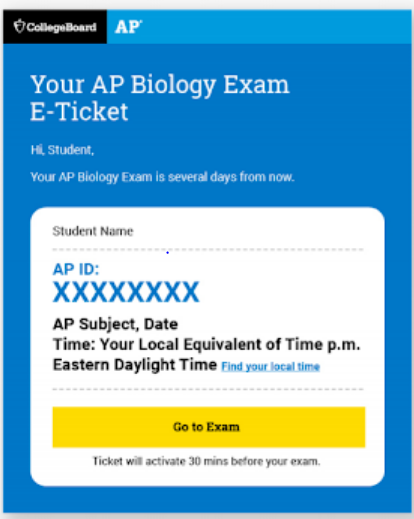
If you accidentally close the browser, your device crashes, or you temporarily lose internet access, you can quickly click your exam e-ticket again to return to the exam. Continue the exam, and if you feel at the end of the exam that the temporary disruption has negatively impacted your performance, you can request approval to take the makeup exam at Make-up Request starting May 11. During your exam, DO NOT refresh your browser or hit the back button!
REQUIRED AND RECOMMENDED DOCUMENTS
Calculus A/B and B/C: RECOMMENDED for typing: Keyboarding Tip Sheet for the 2020 AP Calculus Exams
ALL Subjects: Required Exam Day Checklist
TESTING ENVIRONMENT
- Do your best to test by yourself in a quiet room.
- Remove distractions.
- Enable the do not disturb or quiet setting on your device.
- Let your parents, guardians, siblings, and friends know when you’ll be testing so they don’t disturb you.
- Make sure your device is plugged in.
- If you have limited bandwidth, ask others on your network to limit their use of the internet during your exam, particularly high bandwidth activities (e.g., games like Fortnite and streaming services like Netflix).
- Have your checklist and any required documents next to you.
Exam Day Reminders:
- Have your checklist ready
- Have your device checked and charged/
- Check in 30 minutes before the test start time
- Complete your identity information and wait for exam to start